CupertinoContextMenu
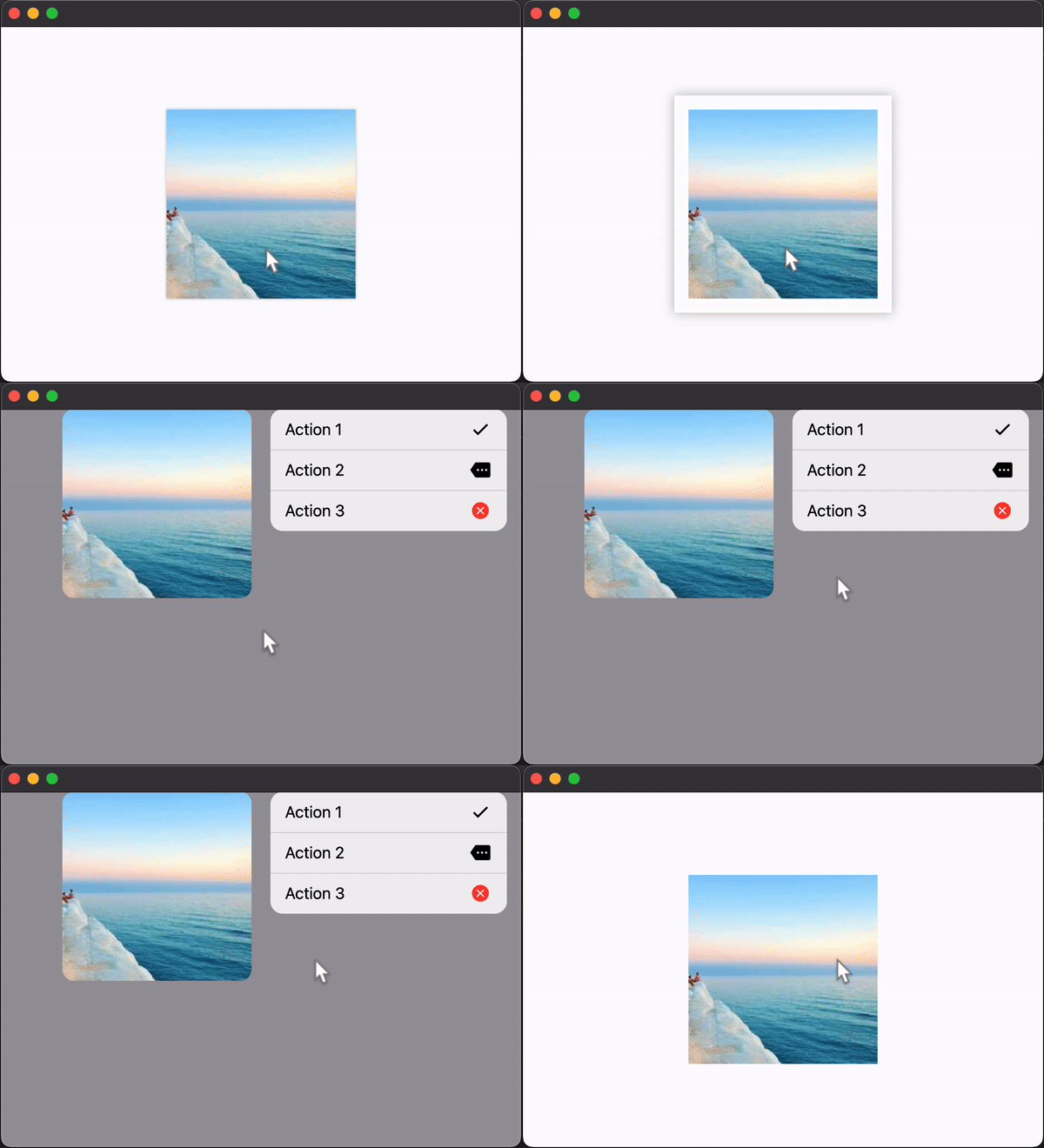
A full-screen modal route that opens up when the content is long-pressed.
Inherits: AdaptiveControl
Properties
actions- A list of action buttons to be shown in the menu.content- The content of this context menu.enable_haptic_feedback- Whether a click on theactionsshould produce haptic feedback.
Examples
CupertinoContextMenu
play_arrowTry Online
import flet as ft


def main(page: ft.Page):
    page.horizontal_alignment = ft.CrossAxisAlignment.CENTER
    page.vertical_alignment = ft.MainAxisAlignment.CENTER

    page.add(
        ft.SafeArea(
            content=ft.CupertinoContextMenu(
                enable_haptic_feedback=True,
                actions=[
                    ft.CupertinoContextMenuAction(
                        default=True,
                        trailing_icon=ft.Icons.CHECK,
                        on_click=lambda _: print("Action 1"),
                        content="Action 1",
                    ),
                    ft.CupertinoContextMenuAction(
                        trailing_icon=ft.Icons.MORE,
                        on_click=lambda _: print("Action 2"),
                        content="Action 2",
                    ),
                    ft.CupertinoContextMenuAction(
                        destructive=True,
                        trailing_icon=ft.Icons.CANCEL,
                        on_click=lambda _: print("Action 3"),
                        content="Action 3",
                    ),
                ],
                content=ft.Image("https://picsum.photos/200/200"),
            ),
        )
    )


if __name__ == "__main__":
    ft.run(main)
Properties
actionsinstance-attribute
actions: list[Control]A list of action buttons to be shown in the menu.
Typically CupertinoContextMenuActions.
Raises:
- ValueError - If it does not contain at least one visible
Control.
contentinstance-attribute
content: ControlThe content of this context menu.
Info
When this context menu is long-pressed, the menu will open and this control will be moved to the new route and be expanded. This allows the content to resize to fit in its place in the new route, if it doesn't size itself.
Raises:
- ValueError - If it is not visible.